Open Accounts
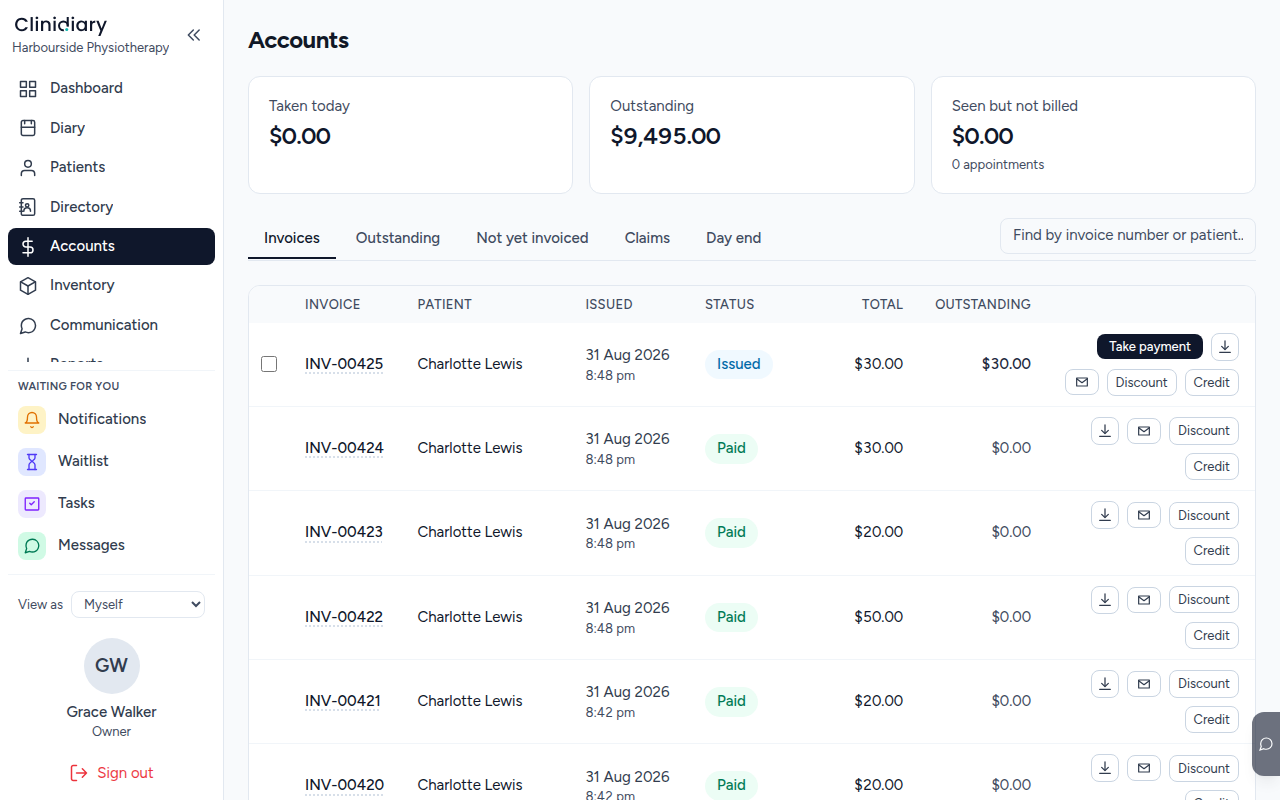
Everything about money is here — what has been taken, what is owed, and what has been done but not yet charged for.
Read the three numbers

- Taken today — money actually received today, by any method.
- Outstanding — invoiced and not yet paid. This is what somebody owes you.
- Seen but not billed — visits that happened and were never invoiced. This is the one that costs a practice money quietly, because nothing about it looks like a problem until somebody goes looking.
Invoice what has been seen
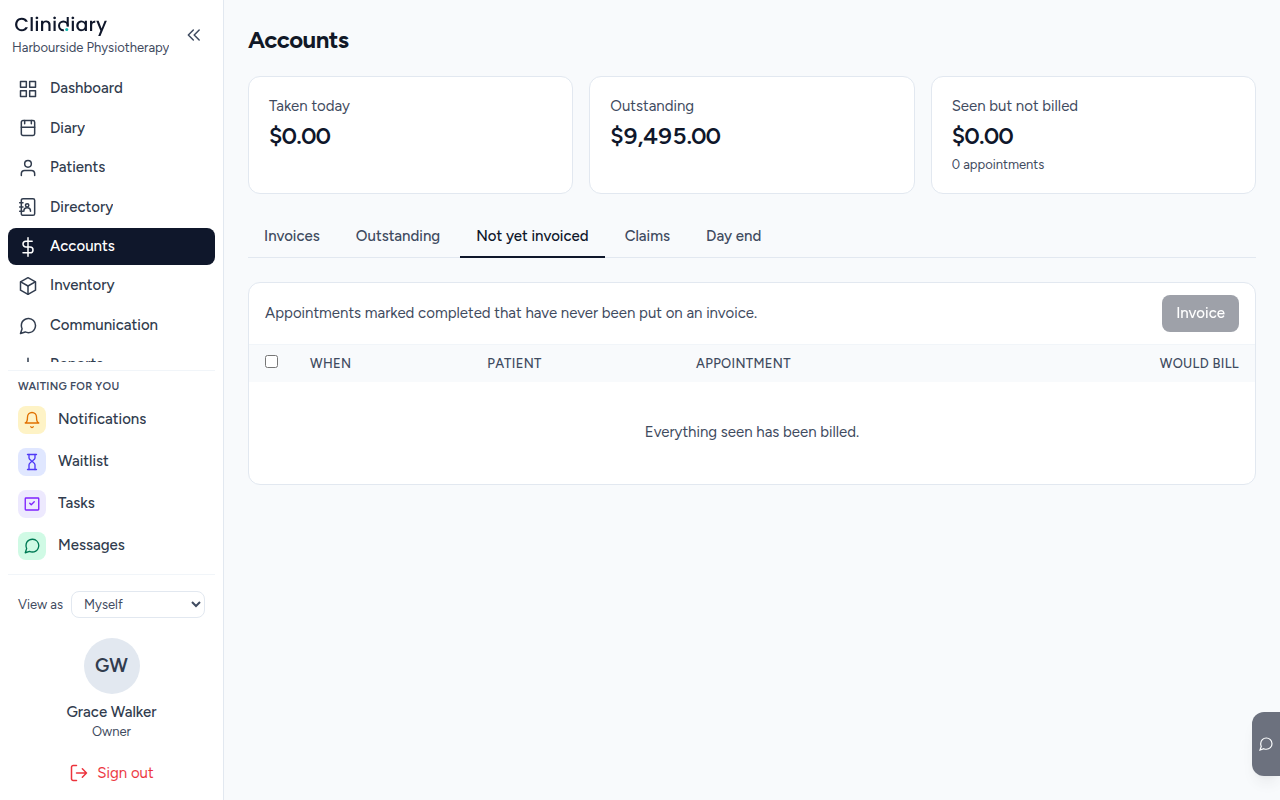
The Not yet invoiced tab is that third number as a list: every completed visit with no invoice against it.
An invoice can also be raised straight from the appointment — the panel that opens when you click a booking has Raise invoice for this visit on it, which is the usual way at the desk as somebody is leaving.
Take the payment
An issued invoice shows what is still owing, and the button beside it settles it.

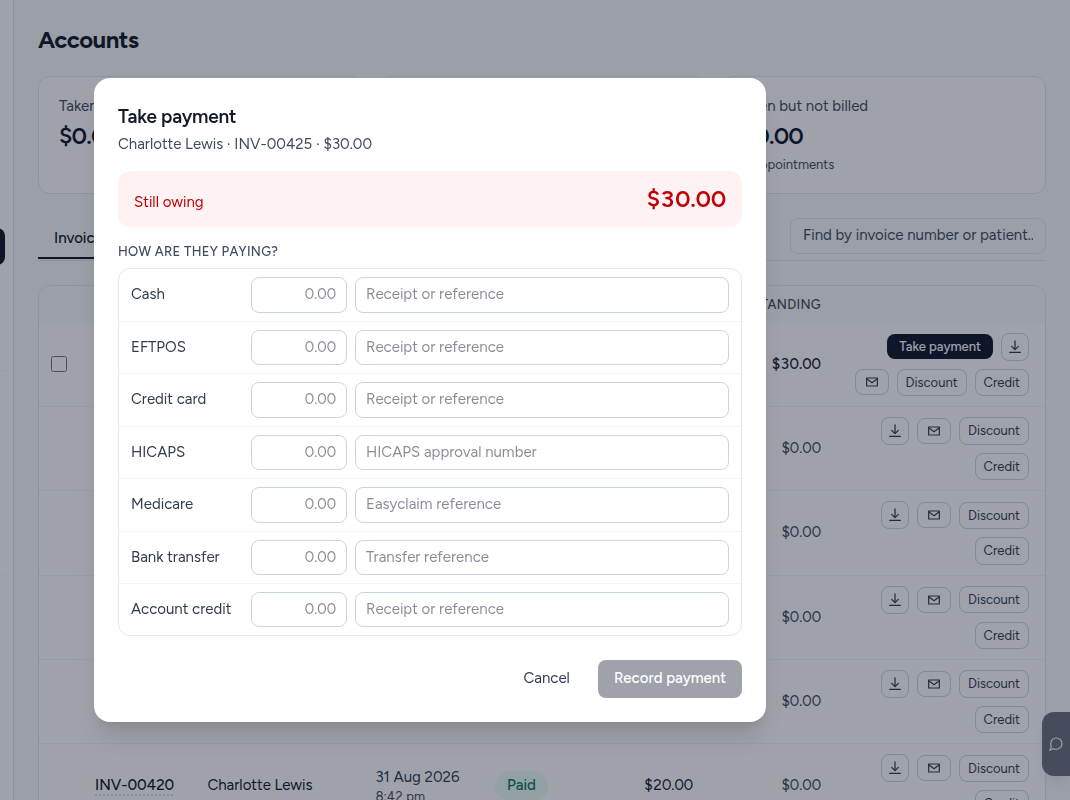
Each method has its own box because a payment is often more than one of them — half on a card, the rest from a health fund — and the reference beside each is what reconciles against the bank statement or the HICAPS terminal later.
Record only what you actually received. The dialog does not care whether the total matches: an underpayment leaves the rest owing, which is correct, and an overpayment becomes account credit against the patient rather than being forced onto this invoice.
Why an issued invoice cannot simply be edited
Once money, a credit note, or a claim depends on an invoice, its total is fixed. Correcting it is a credit note plus a replacement — which leaves both documents in the record, both numbered, and the history intact.
That is deliberate. An invoice whose total can change after somebody has paid it is one nobody can reconcile, and the practice discovers it at the end of the quarter rather than at the desk.
An issued invoice that nothing depends on yet — no payment, no credit, no claim — can still be corrected in place, and keeps its number and date.