
Front Desk (Smartsoft) alternative
Switching from Front Desk (Smartsoft)? Meet Clinidiary.
All-in-one software for physiotherapy clinics. Here is what you get when you move.
Six months free. Move your patients across yourself, in minutes.
About Front Desk (Smartsoft)
Front Desk is Smartsoft's desktop practice management system for Australian allied health, which the vendor describes as a trusted legacy solution developed and refined over 30 years. It supports multiple users, practitioners, professions, locations and businesses, from a single user to more than a hundred, and its page emphasises handling even the most complex business structures, with Medicare and DVA details held in the patient file. Smartsoft is an Australian company whose whole team works from one Australian office, with a dedicated helpdesk and more than 30 years in practice management software. The same company now also offers PracSuite, its cloud platform, so Front Desk sits alongside a newer sibling within the one vendor.
Written from Front Desk (Smartsoft)’s own website, smartsoft.com.au, last checked .
Who compares Front Desk (Smartsoft) and Clinidiary
A clinic comparing the two is usually an established Australian practice that has run Front Desk on its own machines for years, often with several practitioners and locations, and is now thinking about cloud software as a category. Practices with complex business structures, many users and a long history in Front Desk have solid reasons to stay with a vendor they know, or to look at Smartsoft's own cloud product first.
Who suits which
Front Desk (Smartsoft) suits an established practice with complex business structures, many users and years of history in Front Desk. Clinidiary suits a clinic ready for software in the browser, with notes that save themselves and an open API. Not sure yet? Open Clinidiary’s demo practice beside the system you use now; it takes one click.
Clinidiary costs A$30 a month for each practitioner, or A$25 a month paid yearly, plus GST, and your first six months are free. Owners, managers, reception and accounts are free. See pricing
What Clinidiary offers
-
Built for the clinic day
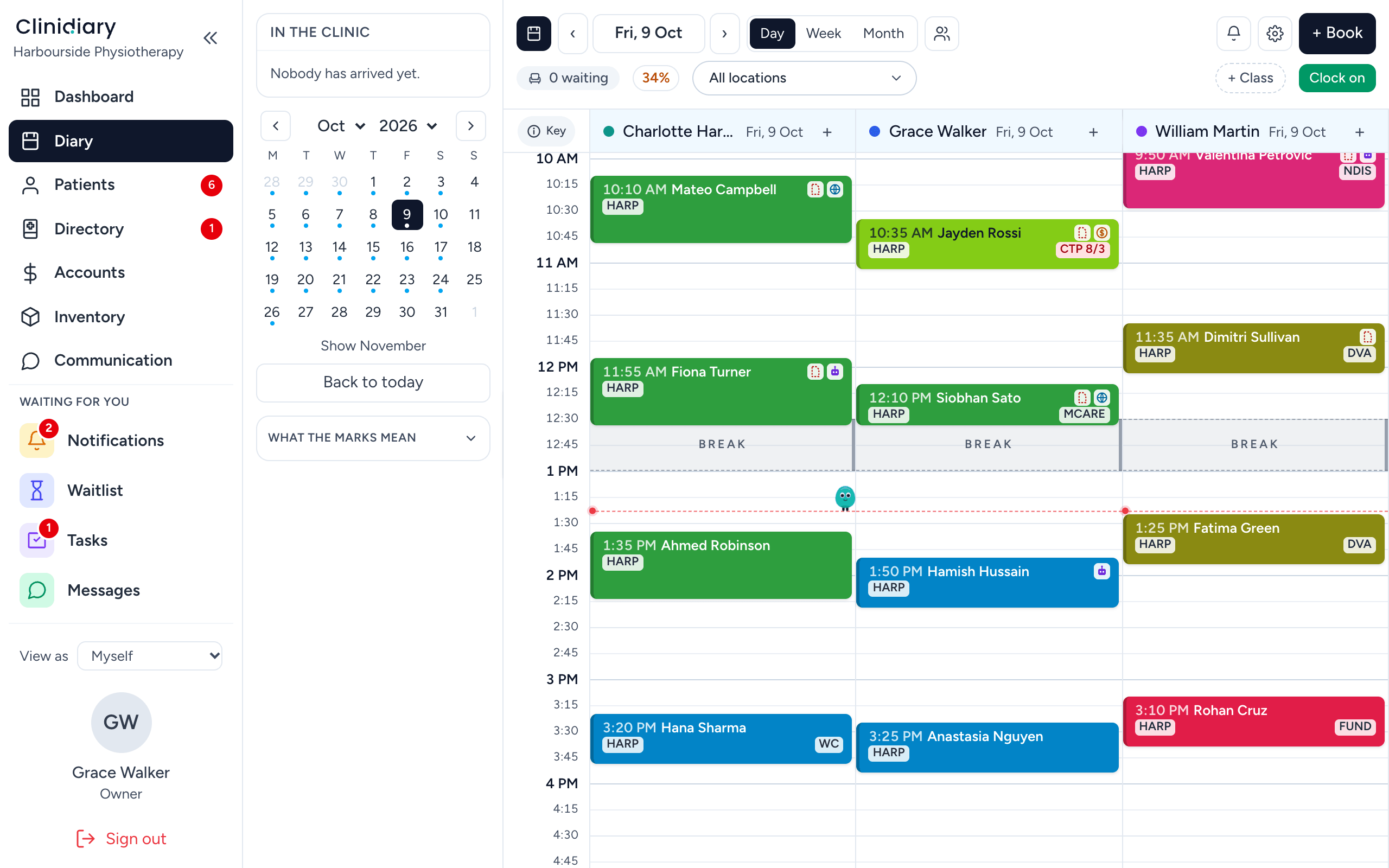
The diary, the treatment room and the front desk, designed as one.
-
Notes are never lost
Every note saves itself as you type, even if the internet drops.
-
An open API
Everything you can do on a screen can also be done through the API.
-
Six months free
The whole system for six months, starting with just your email.
-
Bills stay as issued
A paid invoice stays exactly as paid. A correction is a credit note.
-
Your data is yours
Download every record in one click, any time you like.
Everything your clinic needs, included
One system from the first phone call to the last invoice.
See every feature- Online booking
- A waiting list
- Treatment notes and templates
- Outcome measures
- Invoicing and payments
- Medicare, WorkCover, NDIS and DVA
- SMS and email reminders
- Reports
- Staff hours and leave
- Video appointments
- Your diary in your calendar
- Patient portal and forms
- Stock and retail
- Letters
Moving from Front Desk (Smartsoft) takes three steps
Get your patient list
As a spreadsheet or CSV file. Front Desk (Smartsoft)’s own help pages or support team can say how.
Load it into Clinidiary
Columns are matched for you, and nothing is saved until you have checked it.
Start booking
Keep Front Desk (Smartsoft) running alongside for a fortnight if you like. We help you set up, free.
Questions clinics ask
Can I bring my patients from Front Desk (Smartsoft)?
Yes. Load your patient list as a spreadsheet or CSV file in Settings, Bring your data. How to save the list from Front Desk (Smartsoft) is a question for Front Desk (Smartsoft)'s own help pages or support team. The columns are matched from the file's own headings, and you check exactly what will happen before it is loaded.
Can I try Clinidiary before I switch?
Yes. The demo is a full practice that opens in one click, and every new clinic gets six months free.
Does it work on phones and iPads?
Yes. Every screen works on a computer, on an iPad held either way and on a phone, so notes can be written in the treatment room.
How much does Clinidiary cost?
Clinidiary costs A$30 a month for each practitioner, or A$25 a month paid yearly, plus GST, and your first six months are free. Owners, managers, reception and accounts are free.
Is my patient data safe?
Yes. Passkeys and two-factor sign-in, screens that lock themselves, roles for each person, and a trail on every record.
Comparing other systems?
Front Desk (Smartsoft) is a trademark of its owner. Clinidiary is not affiliated with or endorsed by Front Desk (Smartsoft). What this page says about Front Desk (Smartsoft) comes from its own website on the date shown; for anything newer, ask Front Desk (Smartsoft). If anything here about Front Desk (Smartsoft) is wrong or out of date, write to support@clinidiary.com and we will correct it.