
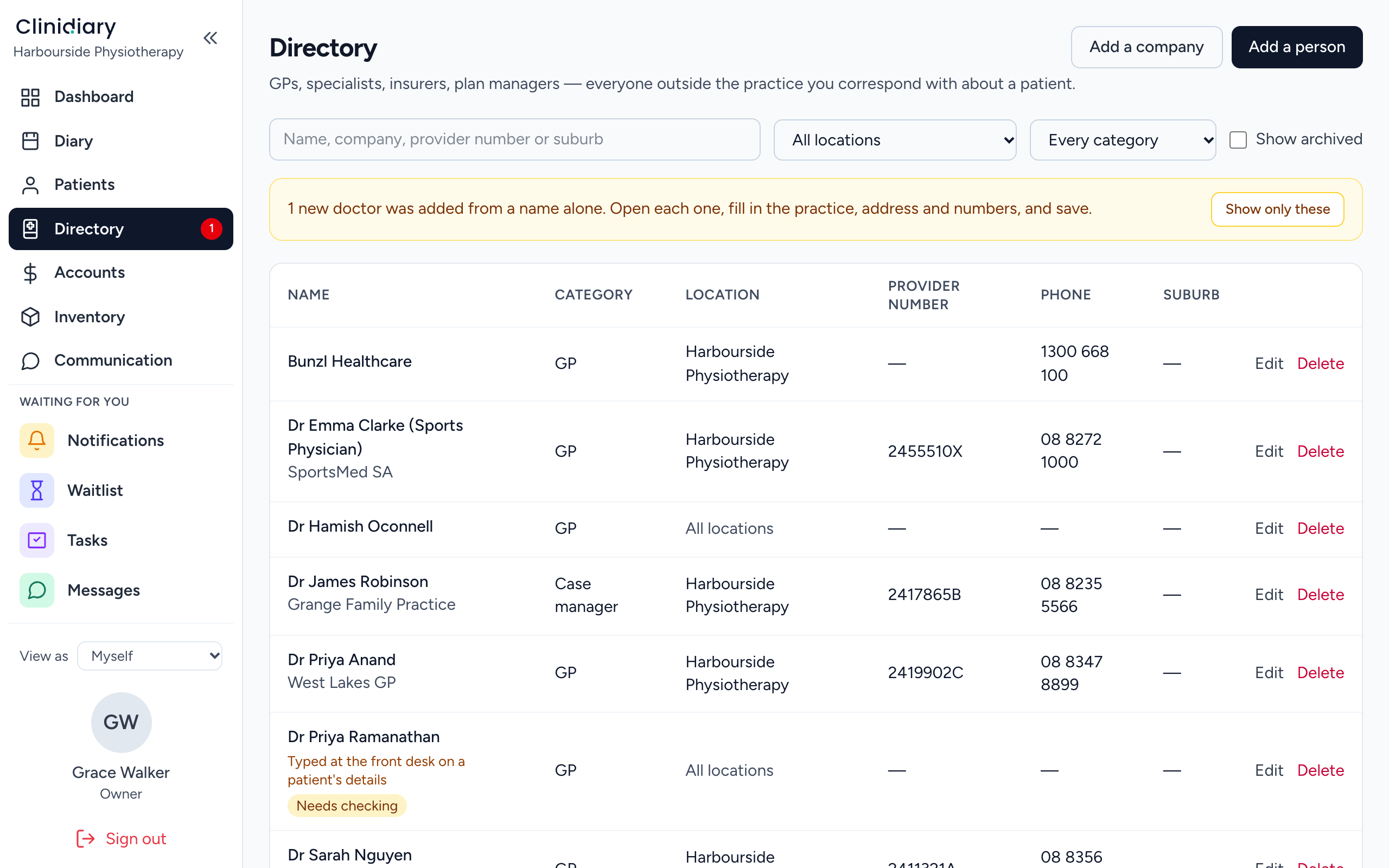
Every referrer in one Directory
The Directory holds every GP, specialist, insurer and case manager you deal with. Details are kept once and used everywhere. Attach the referrer to the patient at the desk, and letters are addressed in one click.
Letters on your letterhead
Upload your letterhead once and set where the writing goes. Every letter is written on it and prints edge to edge, and each printed page carries a document ID showing who printed it and when.
From the patient's case, start a letter from one of your templates, such as an initial report, a progress update or a discharge summary. The patient's and referrer's details fill themselves in. Add the findings, the plan and the outcome measures.
Draft, then final
A letter is a draft until you finalise it. Then it is frozen: content, sender and recipient. A correction is a new letter that supersedes it, because the copy the GP holds must stay the copy you hold. It is the same rule that keeps signed treatment notes as they were signed.
Email the letter from the record, with a copy to the patient's doctor if you like. Letters you started and never sent sit on your dashboard under Unfinished letters, oldest first.
WorkCover and case managers
Progress reports to a case manager work the same way, from the case, alongside the plan. See care plans and WorkCover paperwork.
Who refers the most
The Referrers and sources and Referral values reports show who sends you patients and what those referrals are worth, so you know whose relationship to look after. See clinic reports.
Frequently asked questions
Can I write GP letters on our letterhead?
Yes. Upload your letterhead once and every letter is written on it.
Can I email letters from the patient's file?
Yes, with a copy to the patient's doctor if you choose.
Can I see which GPs refer the most?
Yes. The referrers and referral values reports show it.